
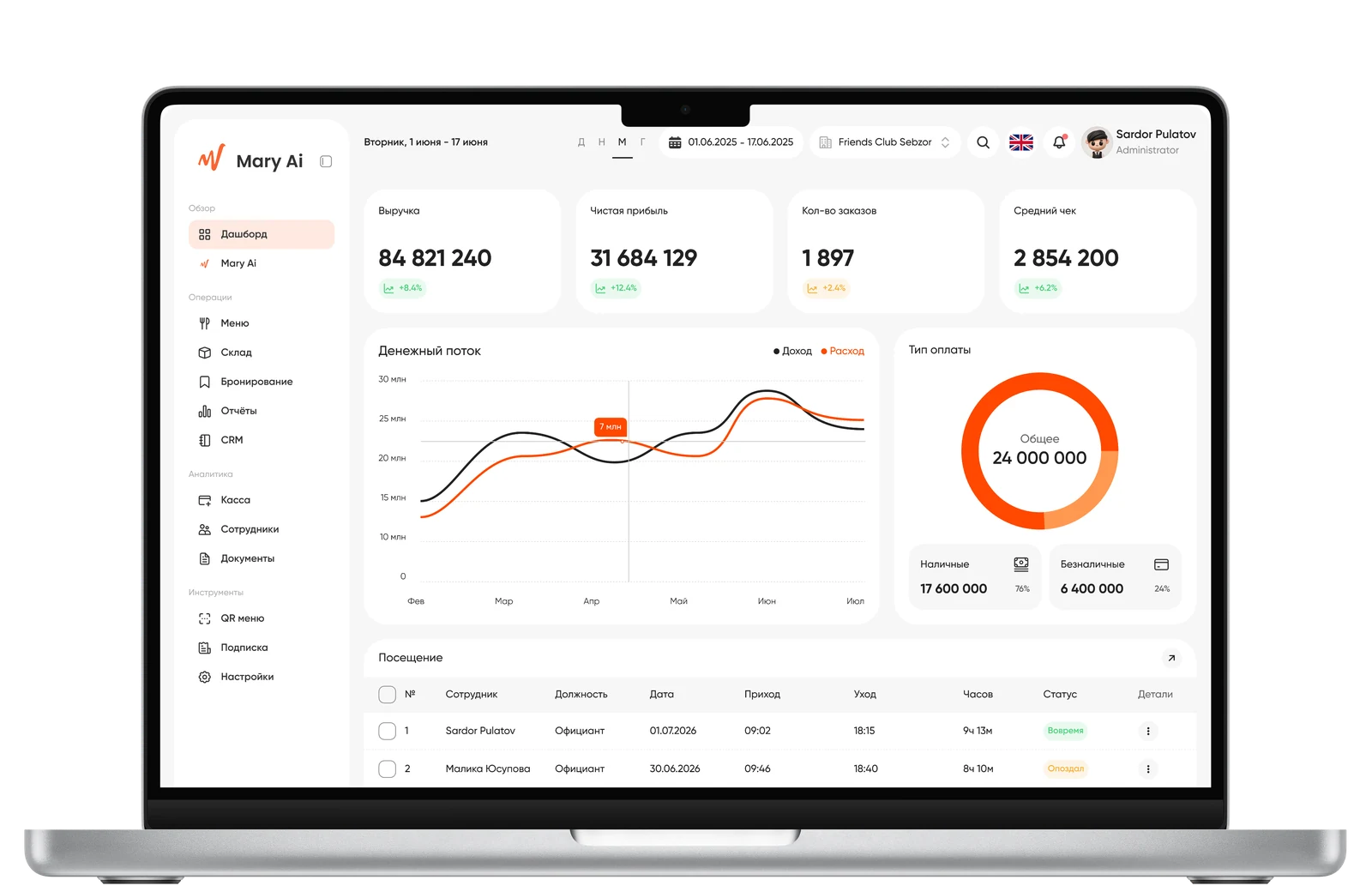
 Mary Ai
 Mary Ai
Mary AI — restaurant management platform design
The main requirement for the project was to create a strong, memorable UI — the restaurant software market is visually outdated, and this was an opportunity to stand out not only with functionality, but also with interface quality.
- Role
- Product Designer
- Team
- 1 Designer3 DevelopersManager
01 — Context
Mary AI is a SaaS platform for restaurant management, targeting the Uzbekistan and Central Asia market. The market is crowded: iiko, Clopos, Jowi, NEON ALISA — mature products with established patterns. Mary AI's key differentiator is the built-in AI assistant Mari AI, which should be part of every module.
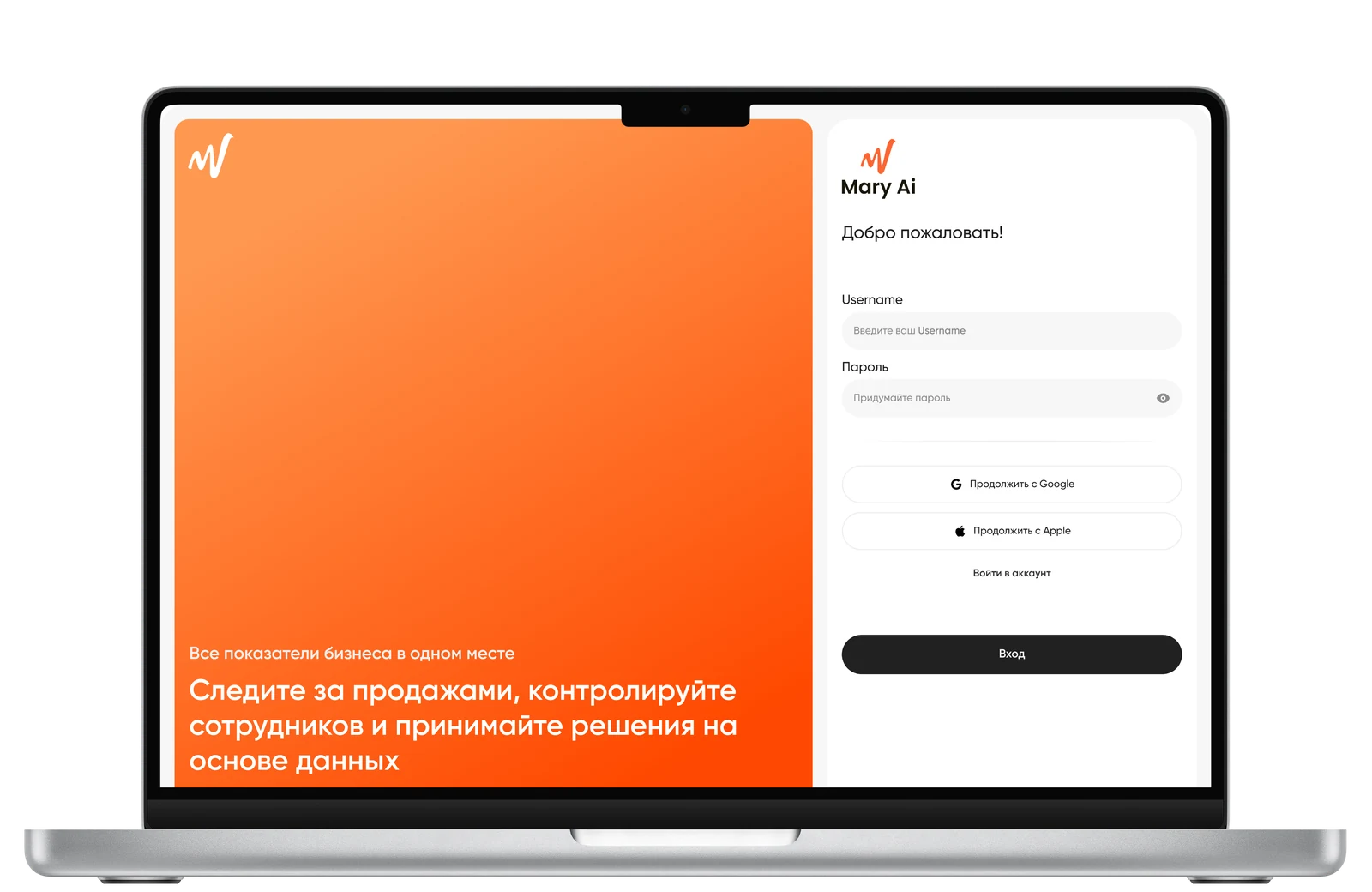
Registration
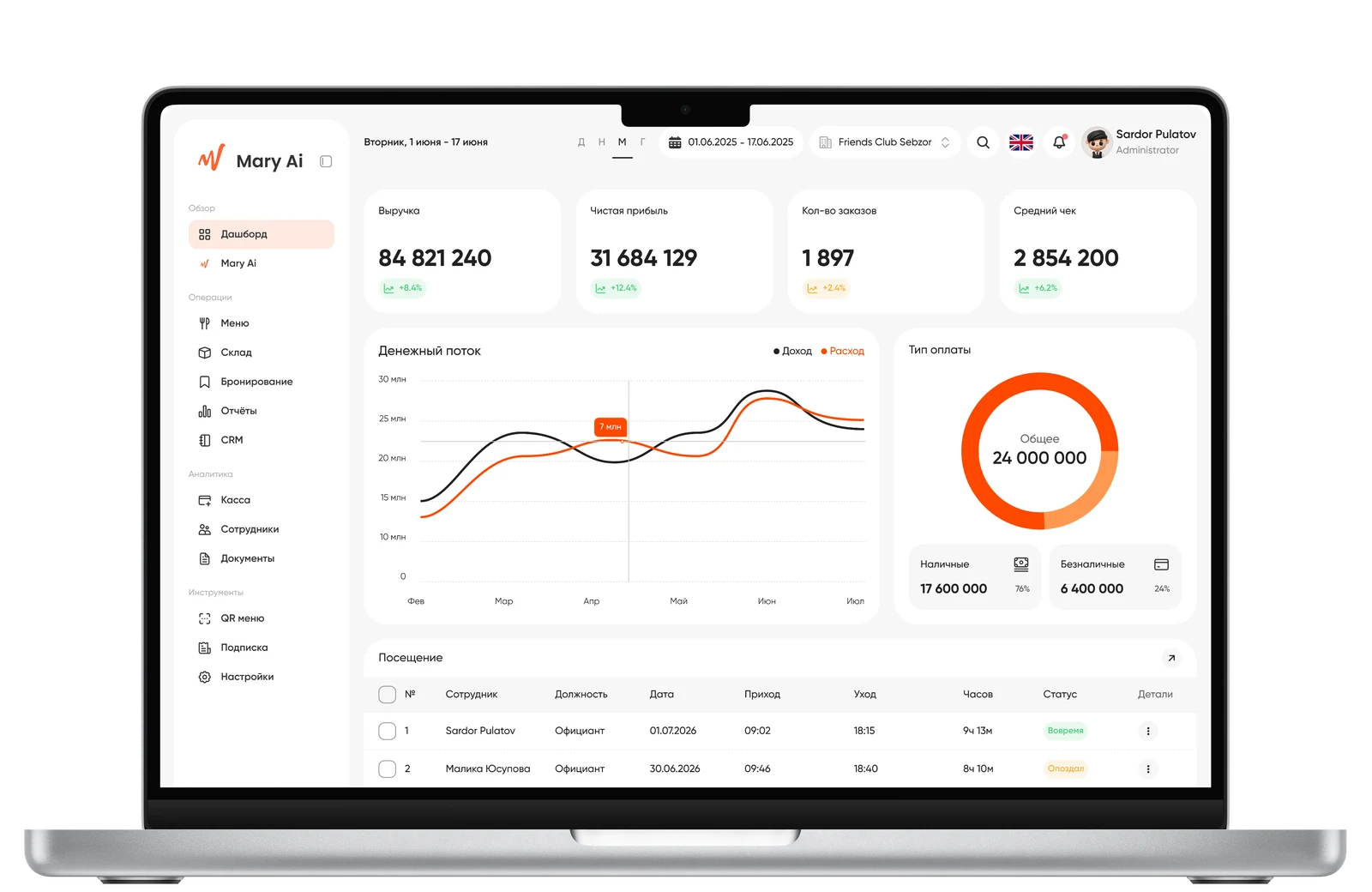
Dashboard
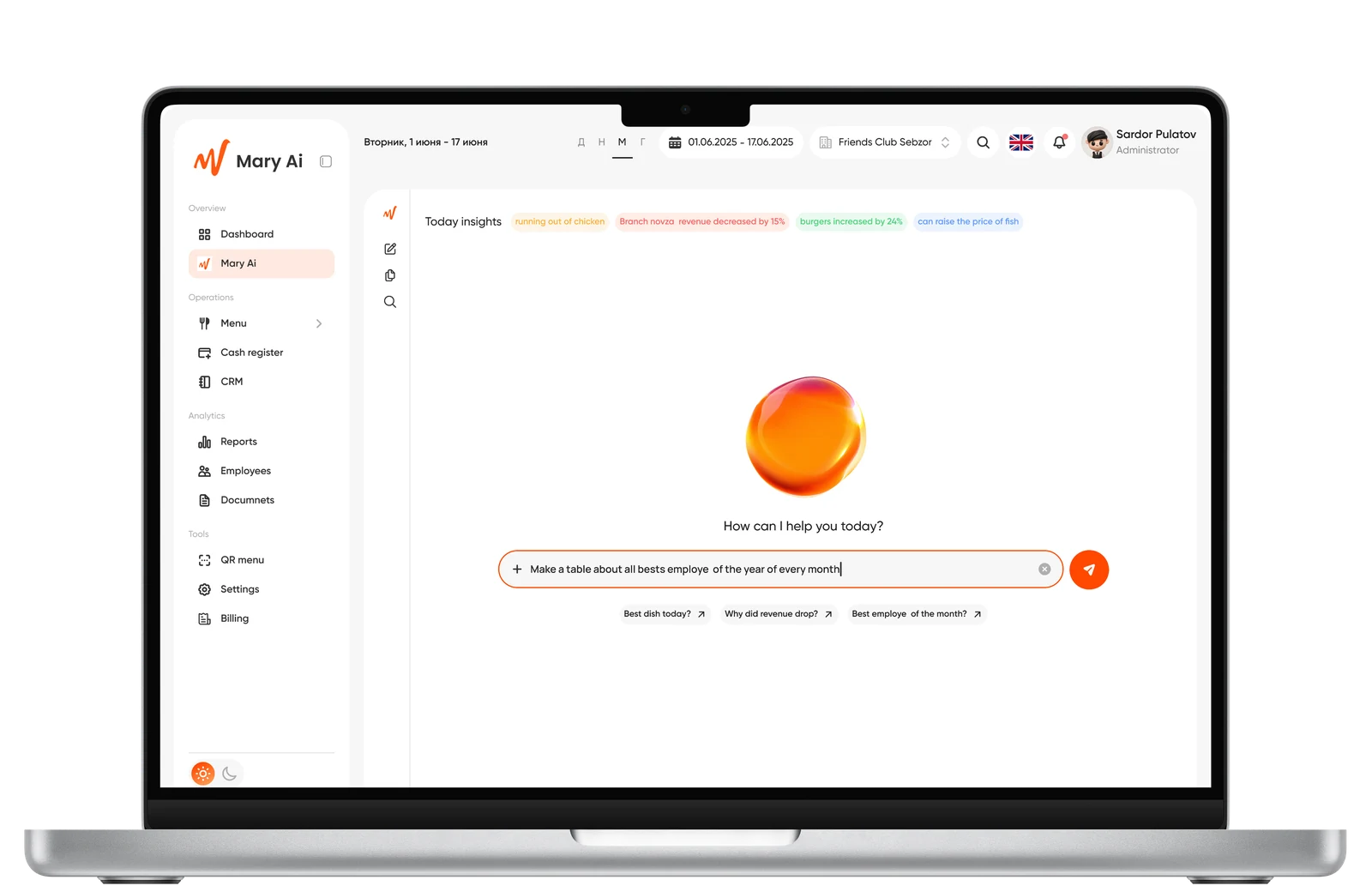
Artificial Intelligence
The product architecture needed to be designed from scratch for 11 modules: Dashboard, POS, Warehouse, Menu, CRM, Reports, Employees, Book a Table, QR Menu, Settings, Billing.
02 — Objective
Full-cycle UX/UI: information architecture, module structure, product decisions, interactive prototypes — in collaboration with the product manager, with whom key decision points were aligned.
03 — Input Data

The market is fragmented by payment methods: cash, bank transfer, Click, Payme, Uzum — this is reflected in the POS structure.

Delivery in the region mainly goes through aggregators (Yandex, Uzum Tezkor), not proprietary courier services — this changes the logic of Table Booking and QR Menu.

The product had already passed MVP: multi-branch support and basic modules were ready — new solutions needed to be integrated into the existing system, not designed in a vacuum.
04 — Process and Decisions
POS
Problem: cash flow, reporting, and shift management were logically mixed across different parts of the interface. Solution: four tabs (Registers · Transactions · Transaction Groups · Register Report). Cash Flow as a separate entity was removed — absorbed by the Register Report. Shifts are tied to a specific register, not a branch. The report separates cash flow and 'calculated profit' (accrual vs cash) — these are different things and must not be confused.
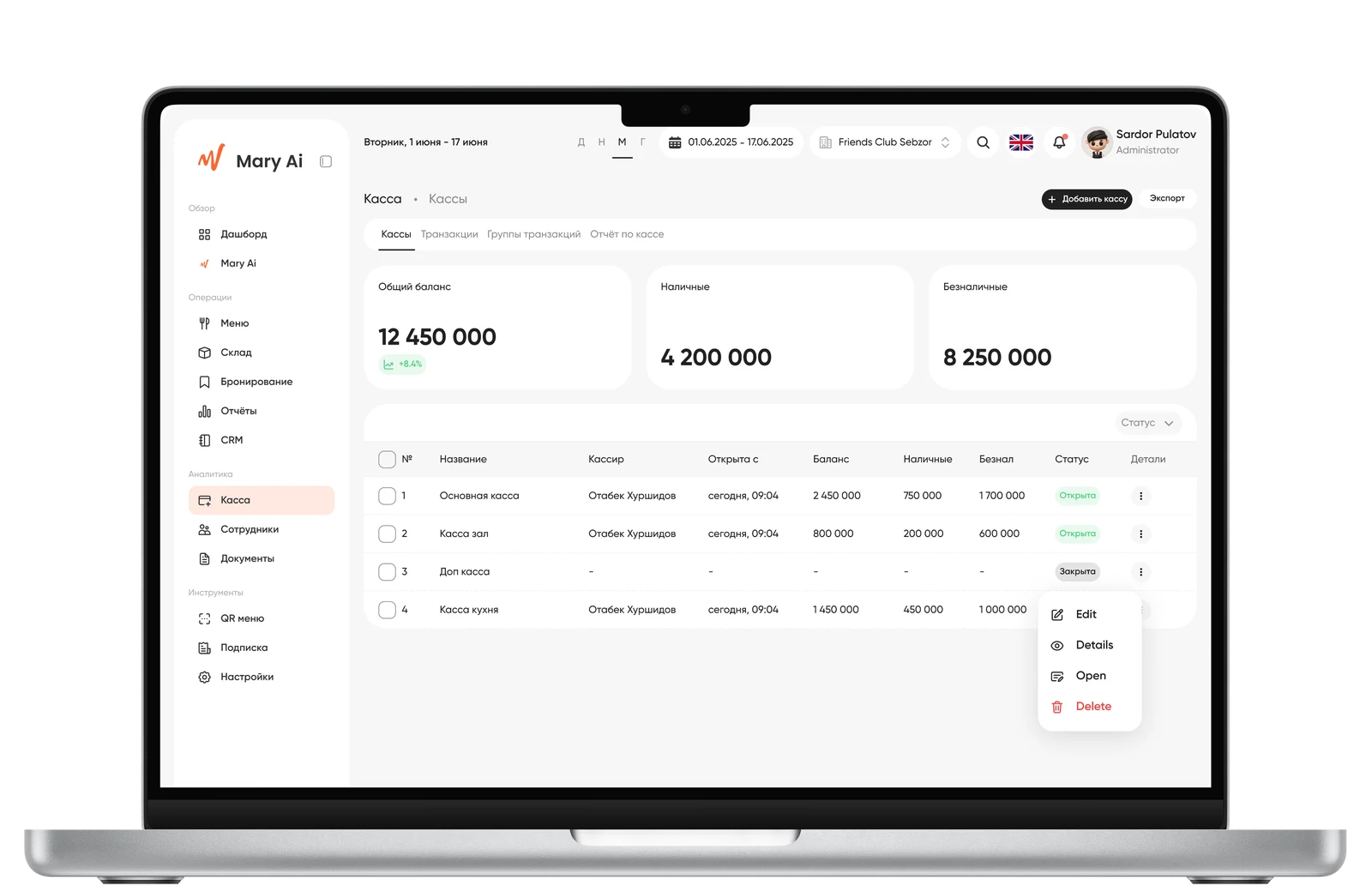
POS
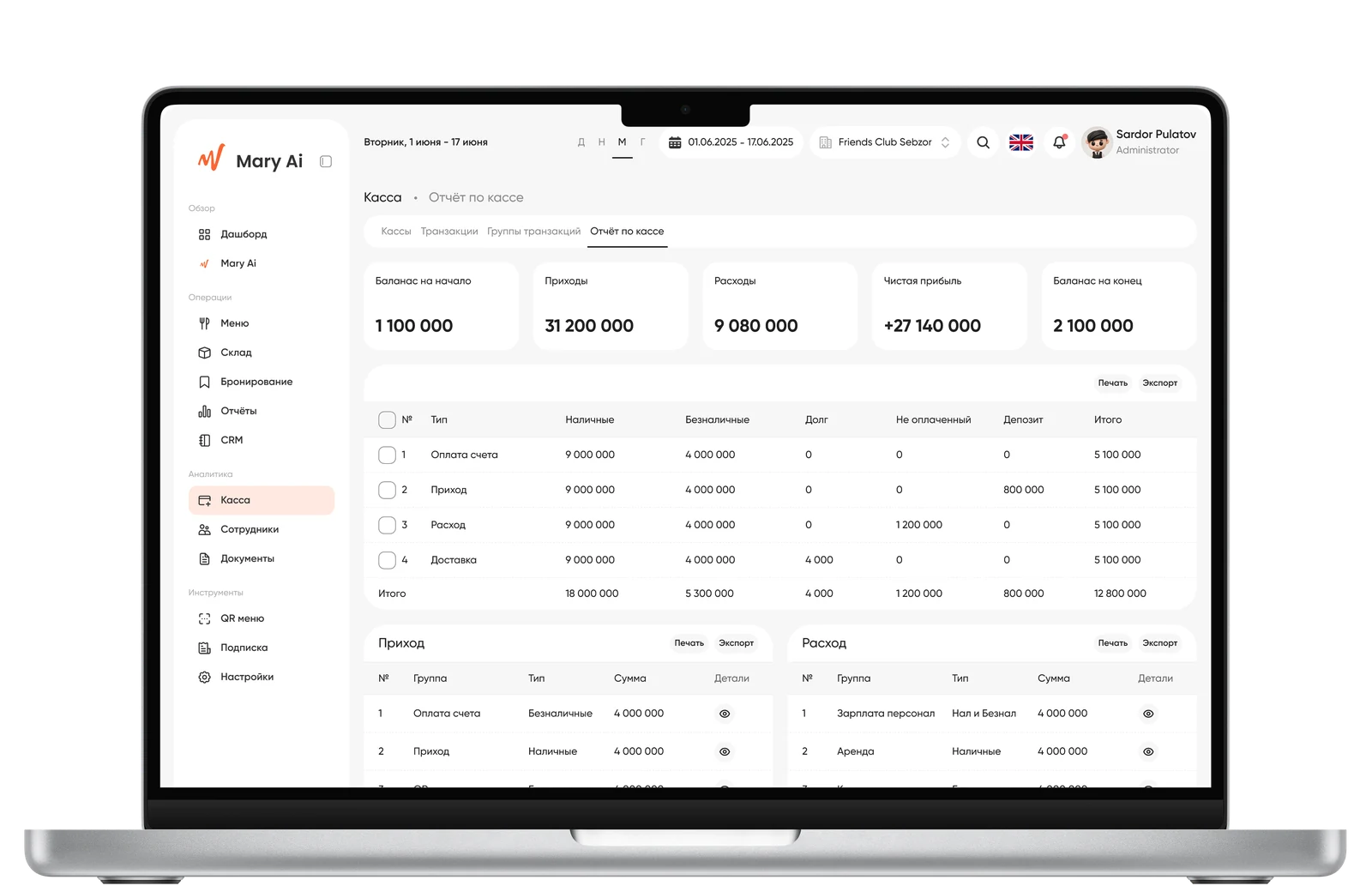
Register Report
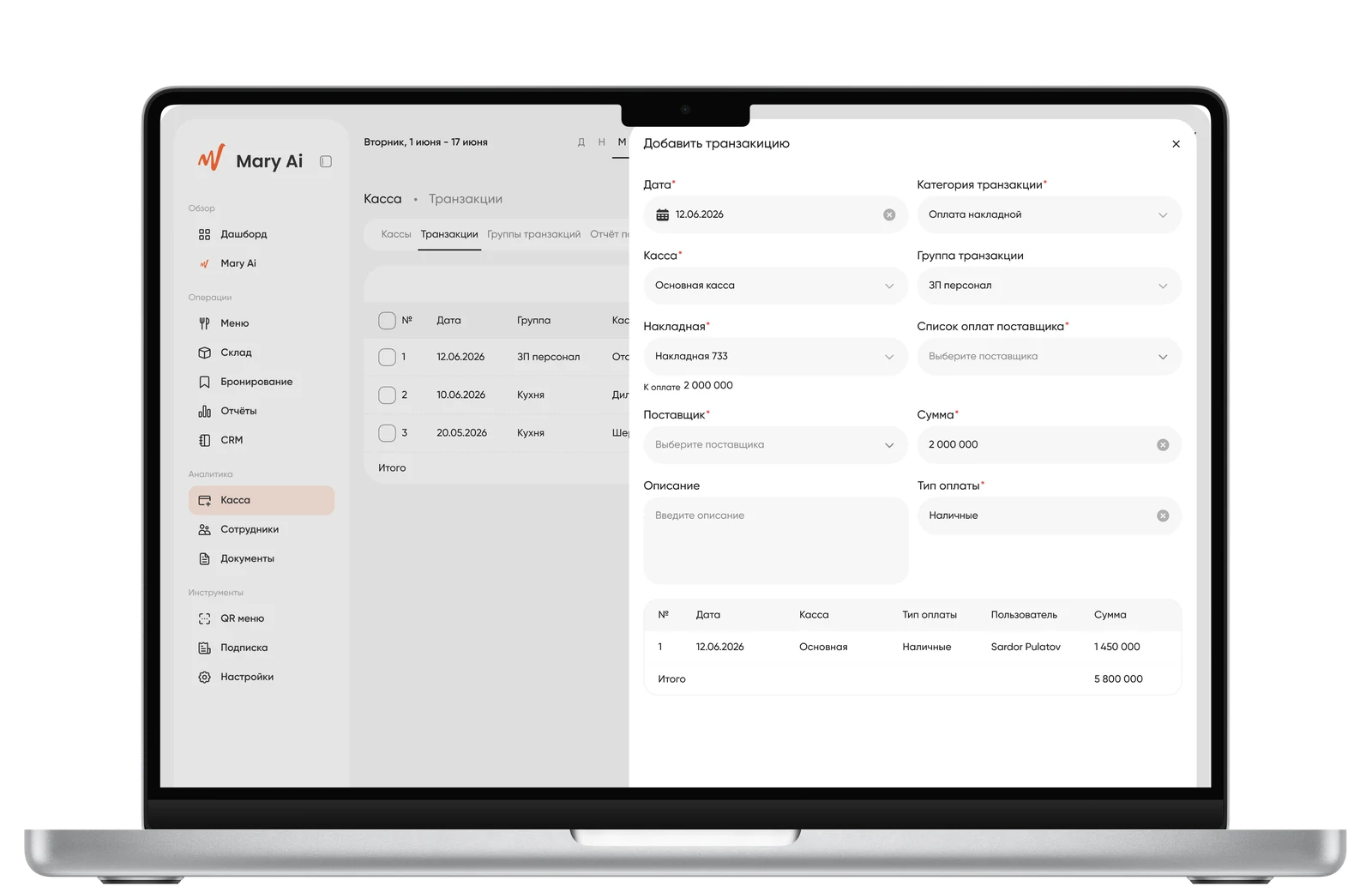
Add Transaction
Warehouse
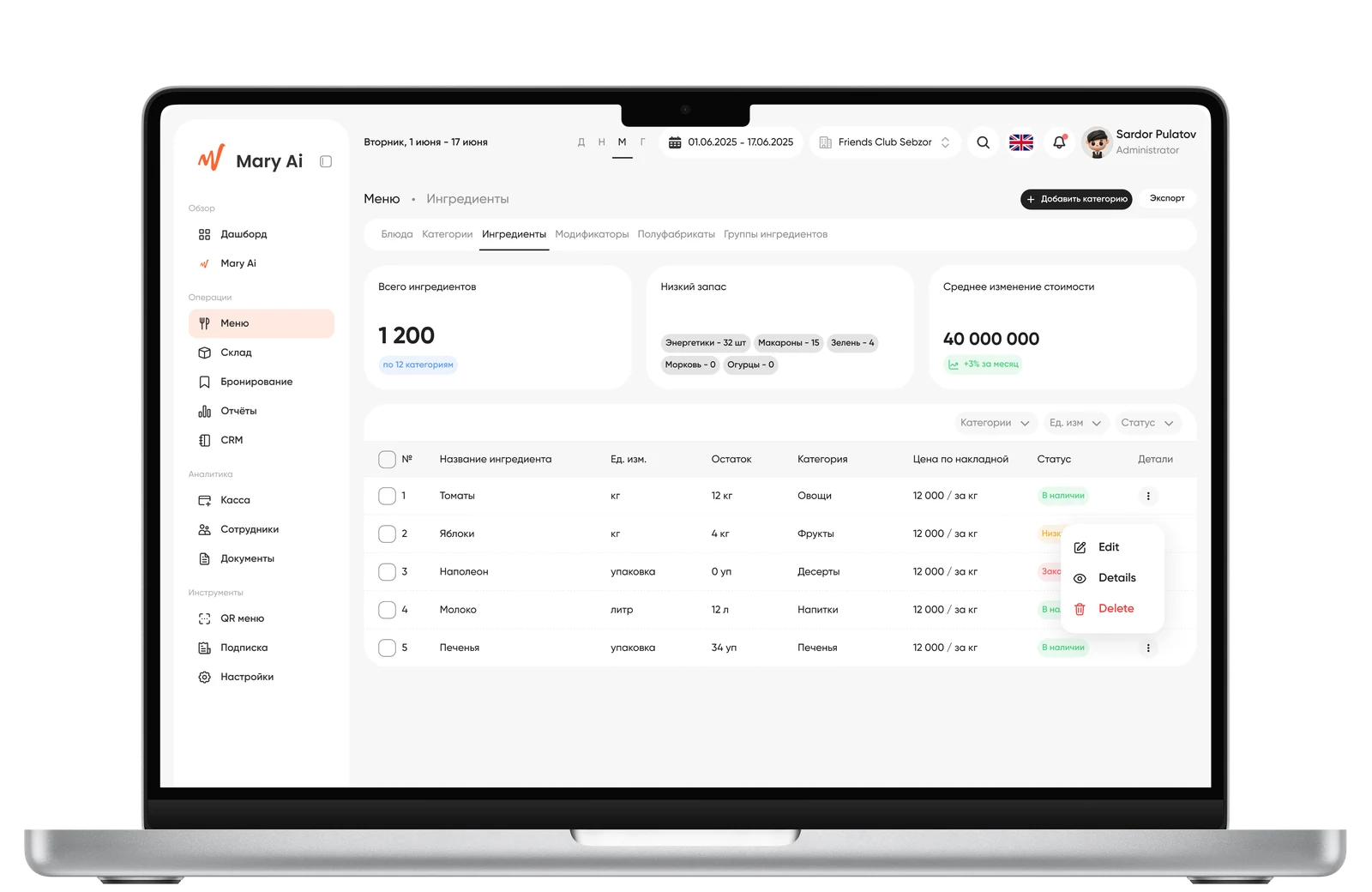
Problem: inventory could be duplicated between Warehouse and Menu, creating a risk of data desync. Solution: Warehouse → Inventory is the single source of truth; Menu → Ingredients simply reflects the same data. Invoice payment is an inline action within the card, creating a transaction in the POS in the background, without navigating to another module.
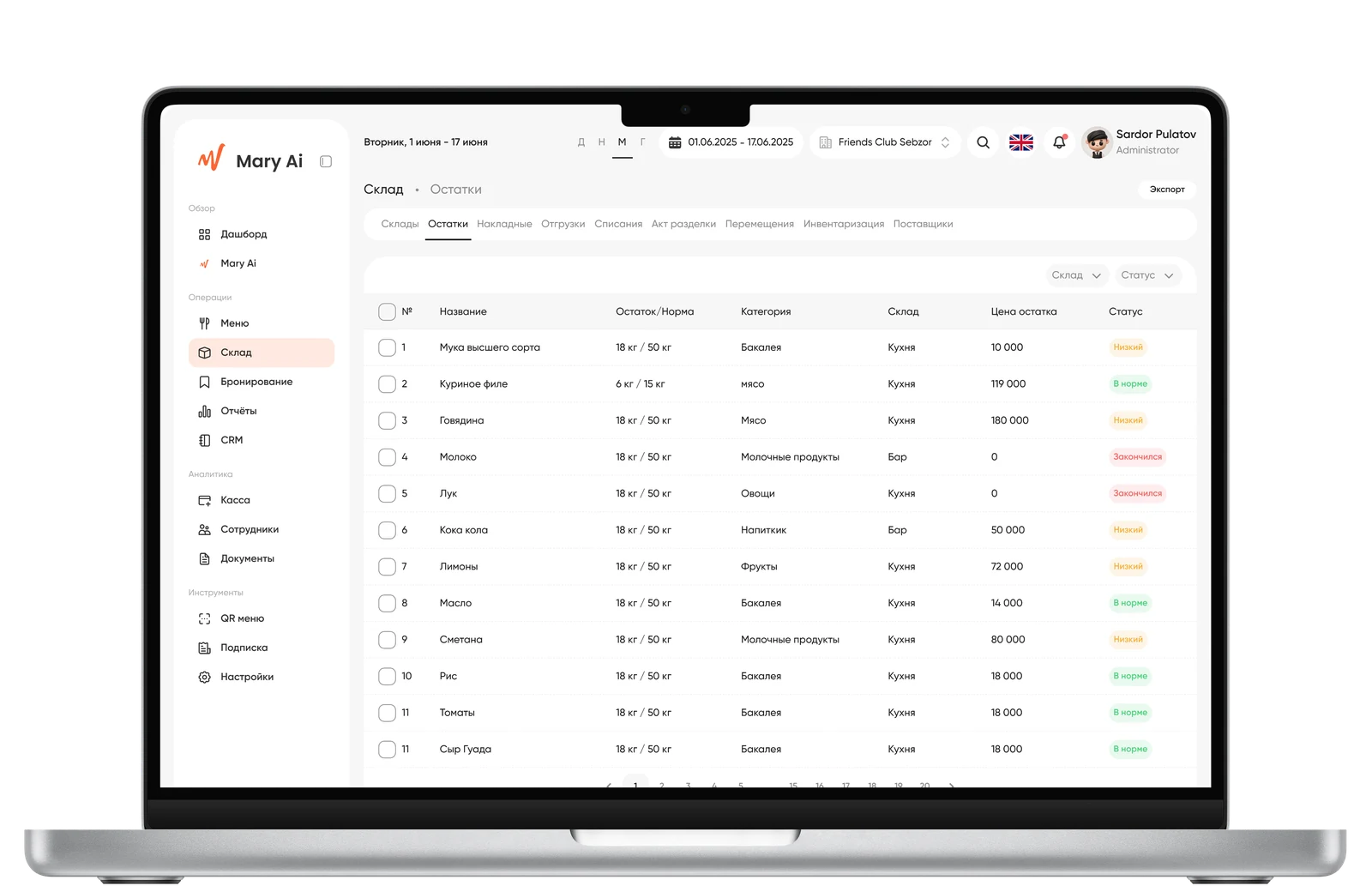
Warehouse Inventory
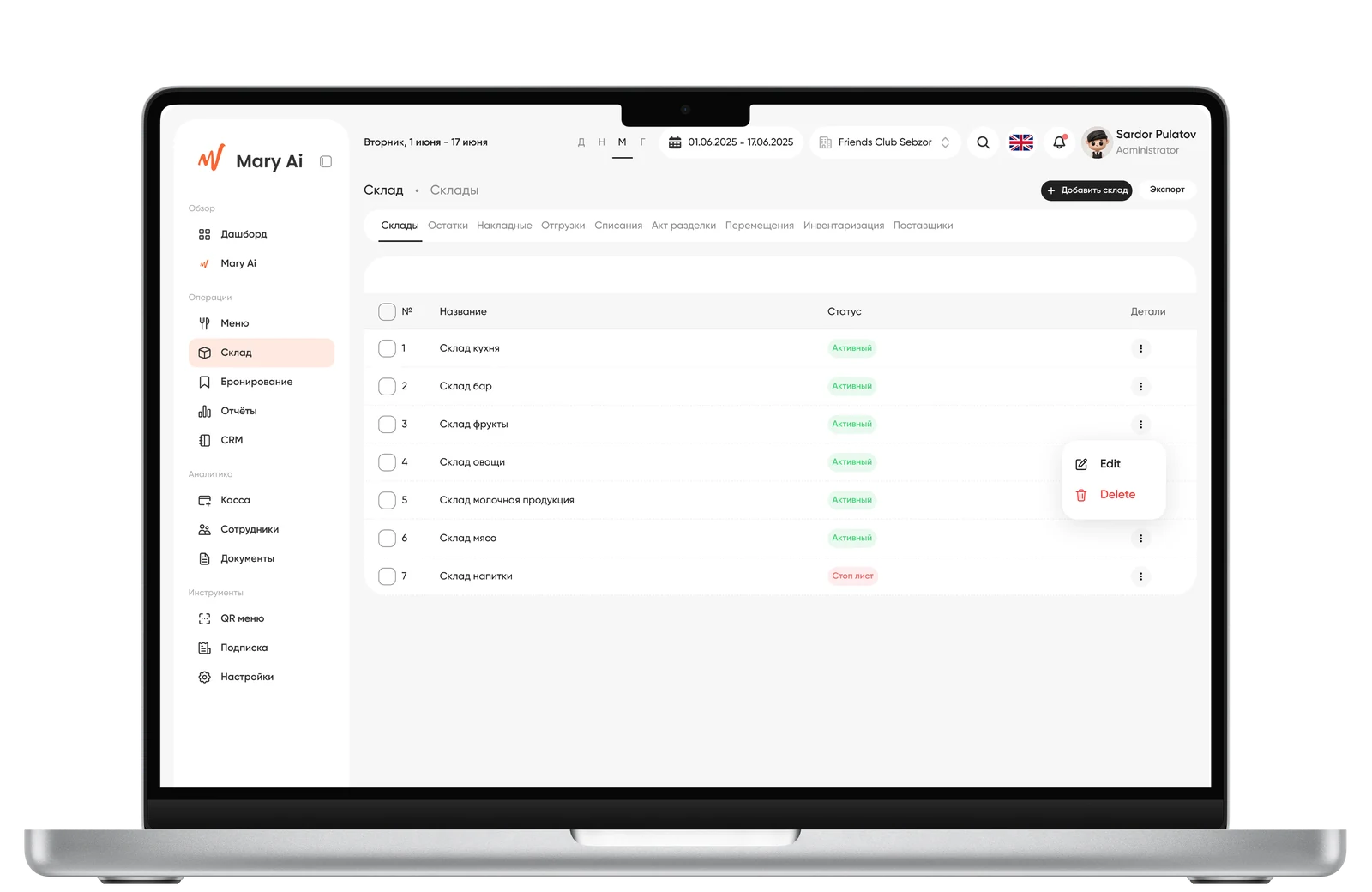
Warehouse
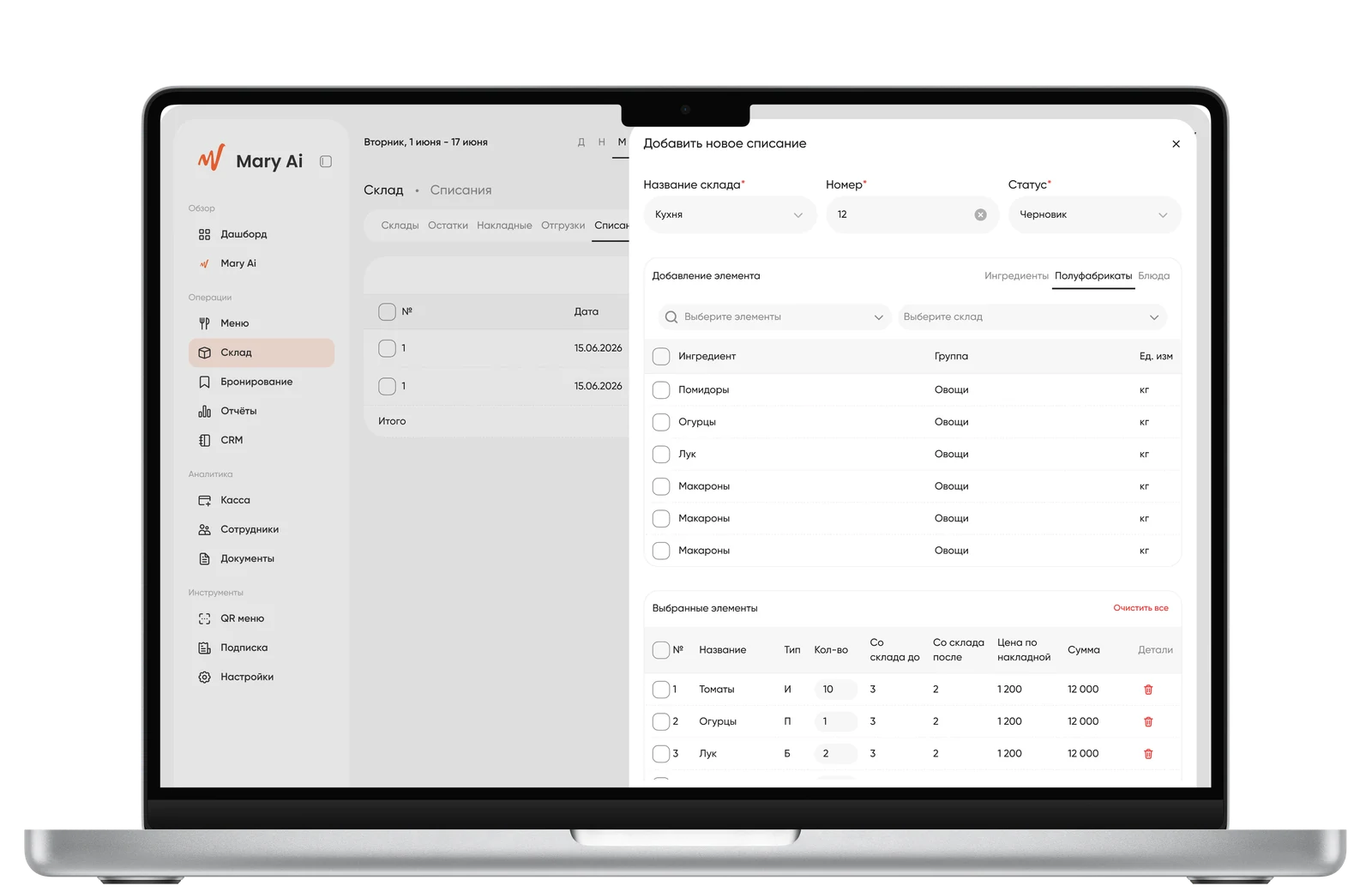
Add Write-off
Menu
Problem: cost calculation usually lives separately from the dish card, which complicates pricing. Solution: in the dish creation drawer — a 'Calculation' tab with a unified table of ingredients and semi-finished products, and live calculation of cost, price, margin, and markup as you type.
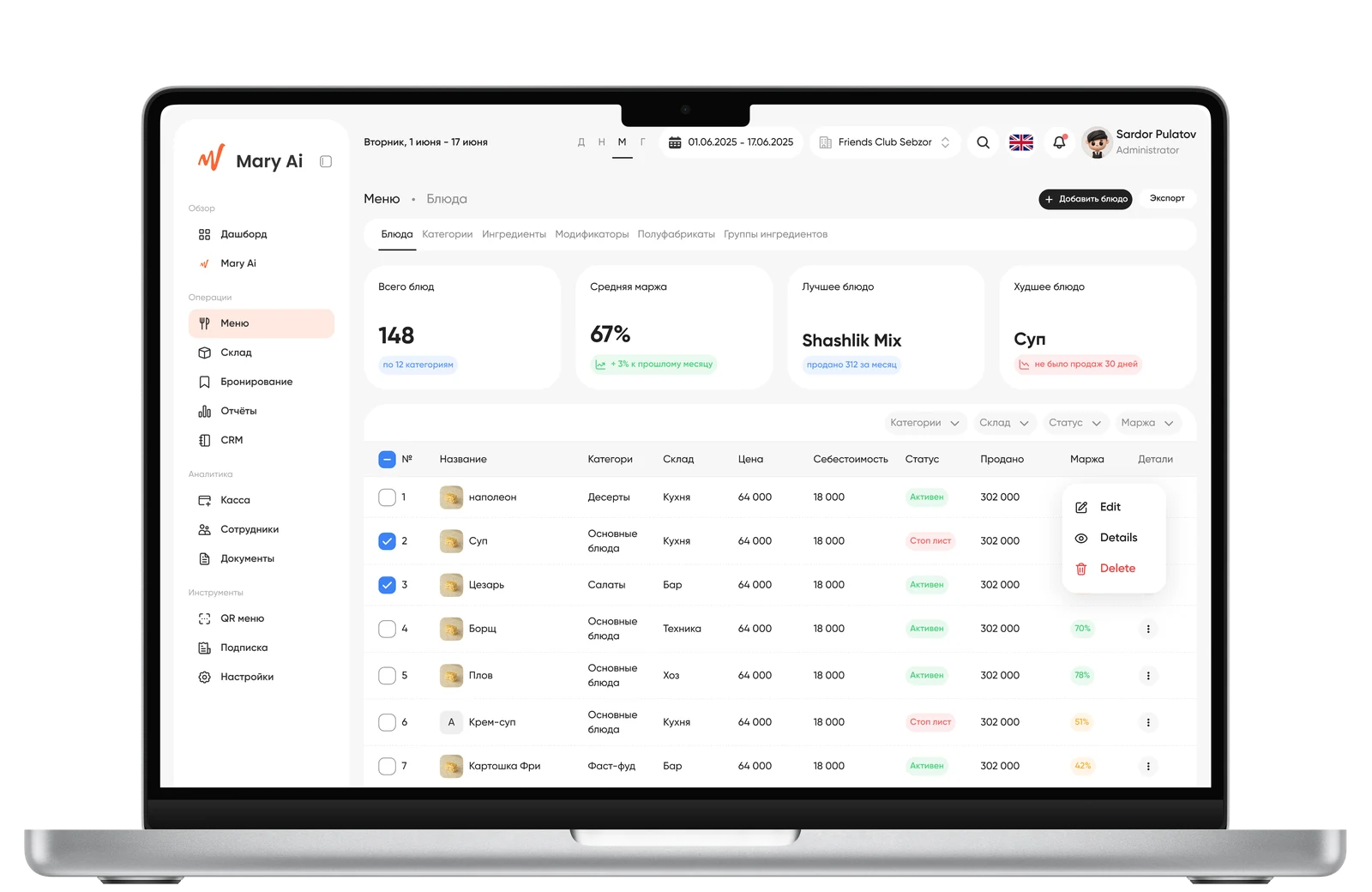
Menu
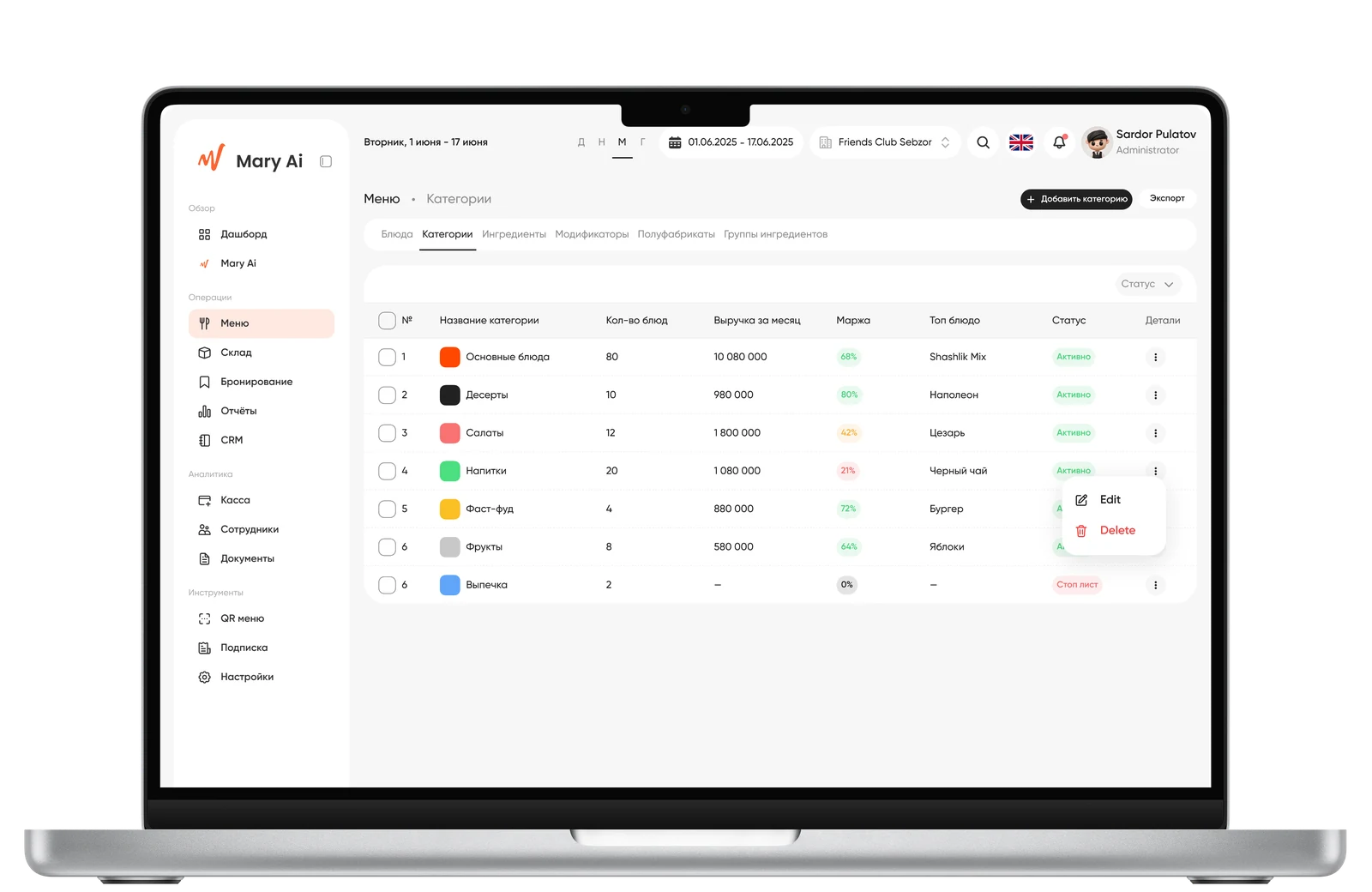
Menu Categories
Ingredients
CRM
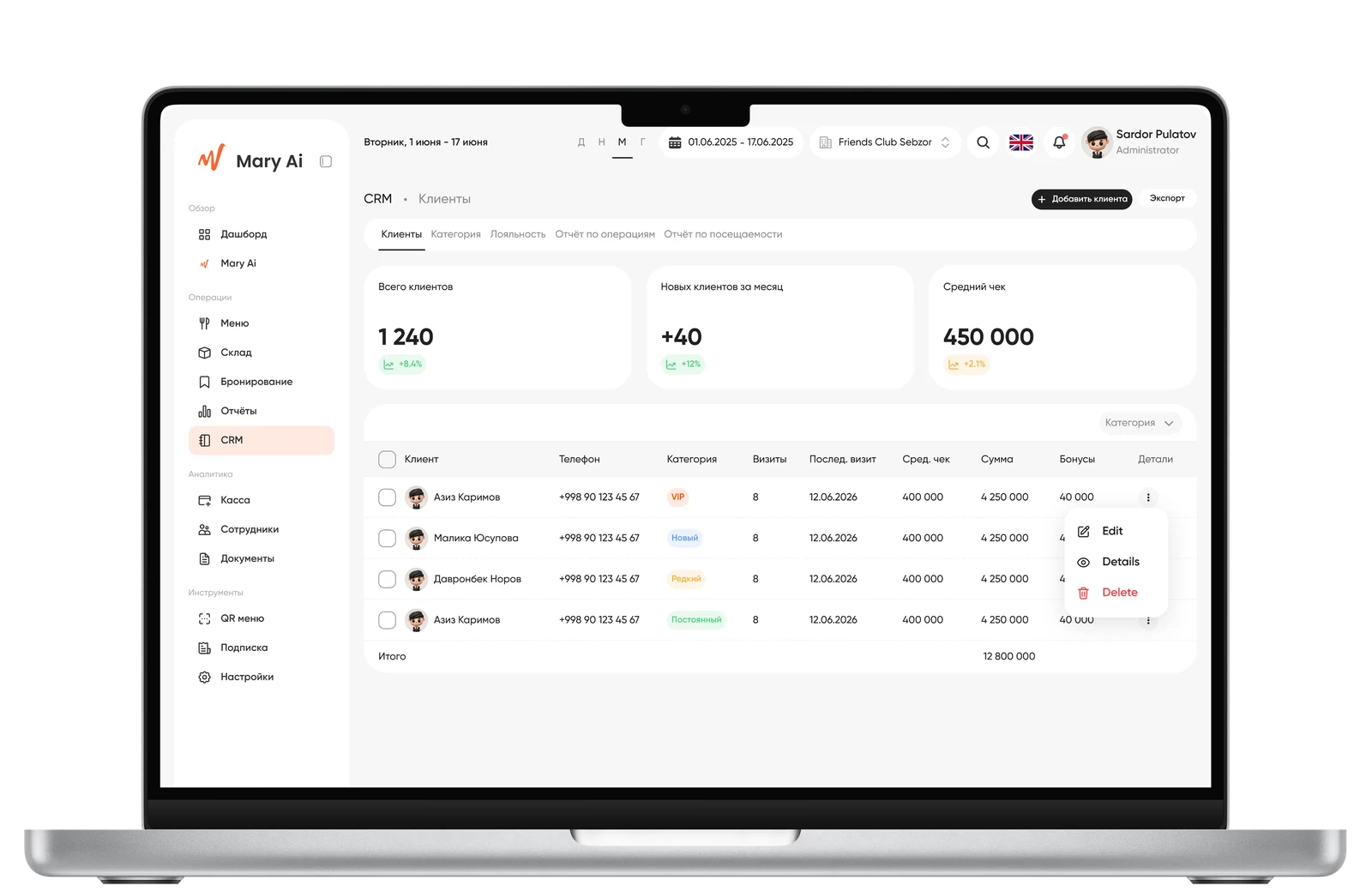
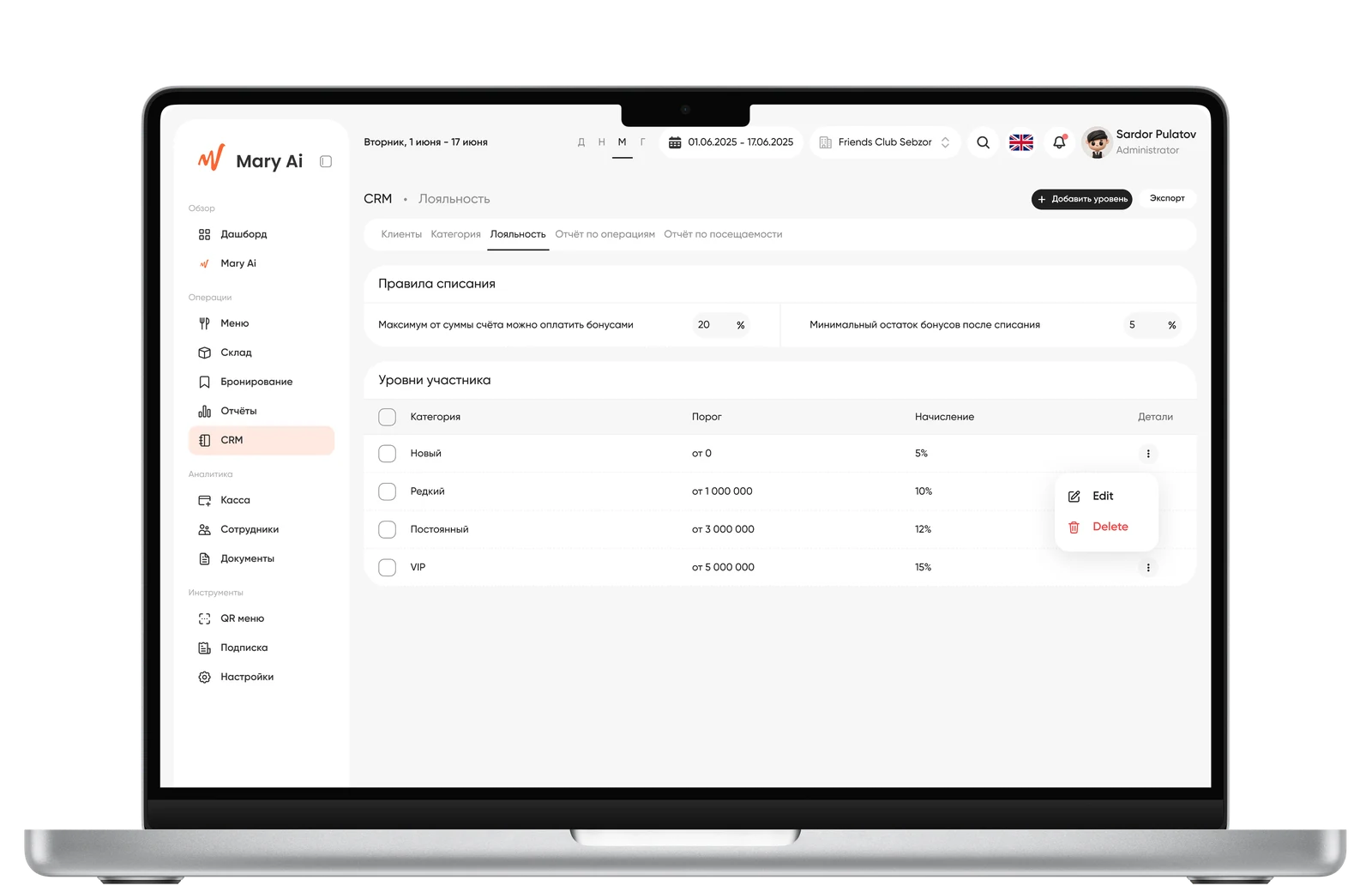
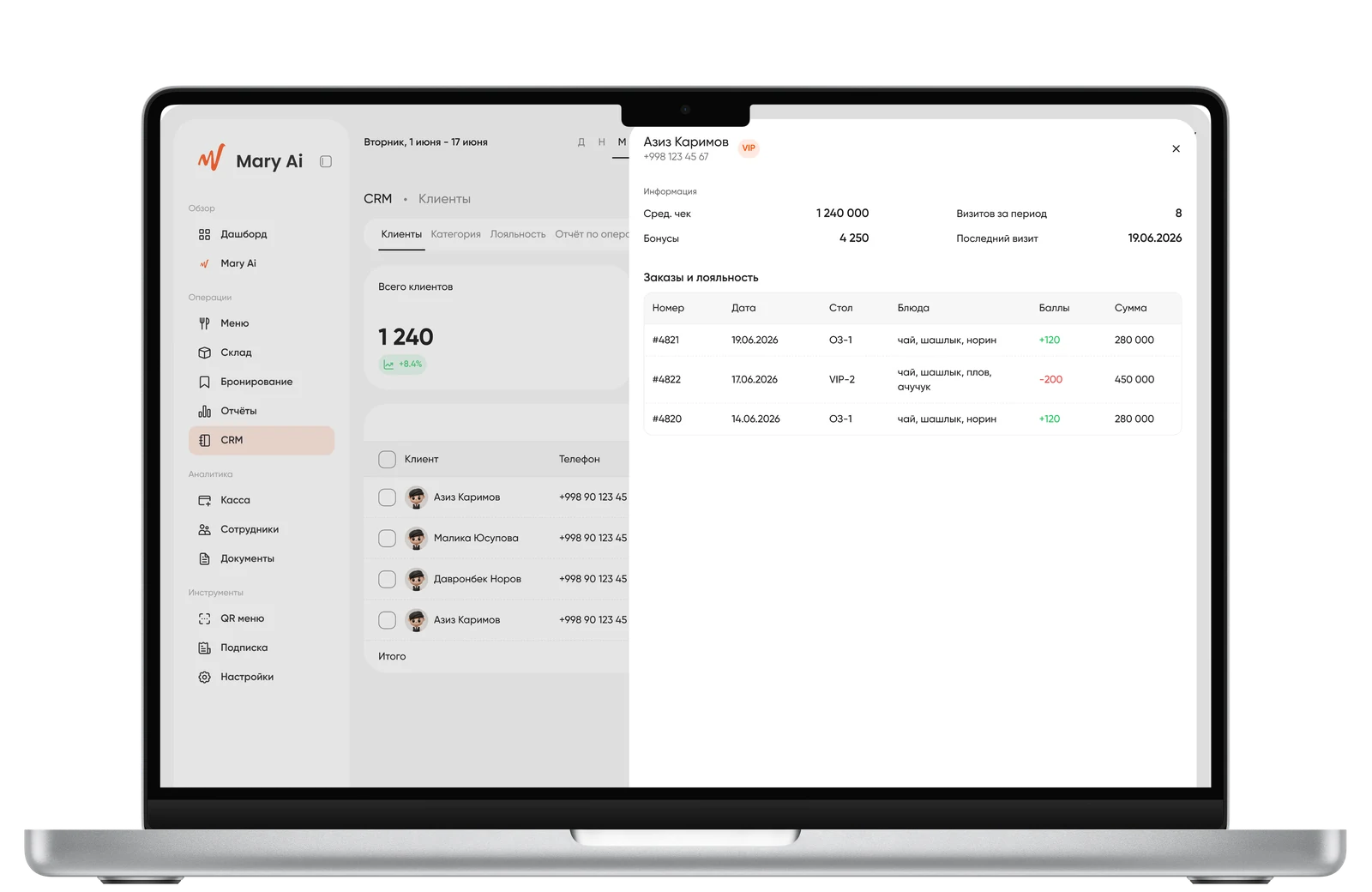
Problem: it was necessary to decide whether to create customer profiles manually or embed them into existing flows. Solution: customers are created automatically from reservations, POS, and pre-orders with deduplication by phone number. Segments are loyalty levels (New/Infrequent/Regular/VIP) without a separate loyalty program section — to avoid creating unnecessary entities.
Customers
Loyalty
Customer History
Table Booking
Problem: reservations and takeout pre-orders are fundamentally different processes, but they are often forced into a single table. Solution: tab-based separation Reservations / Pre-orders. Reservations — list + floor plan; Pre-orders — full-width table with a status model New → Preparing → Ready → Picked up.
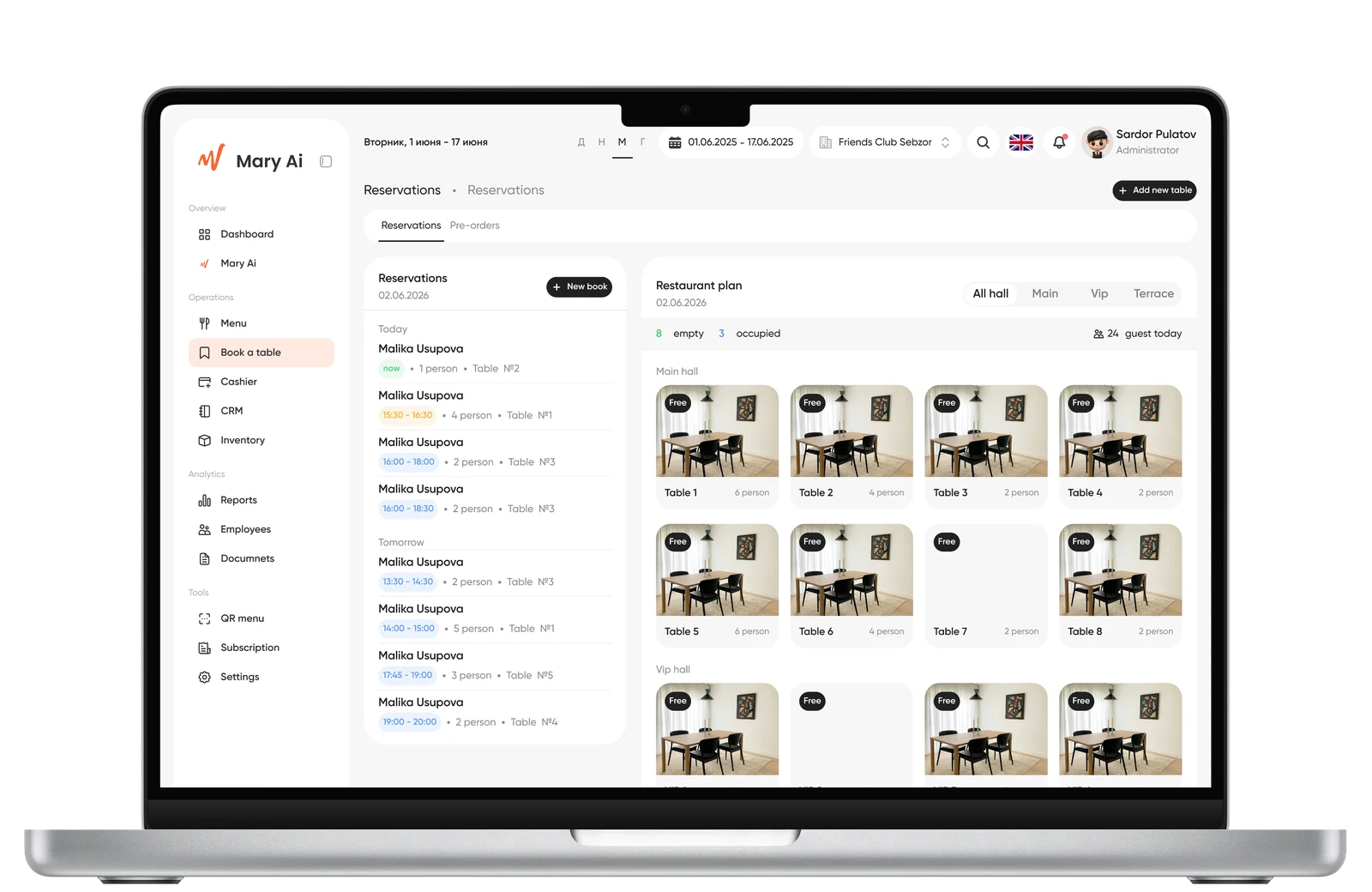
Customers
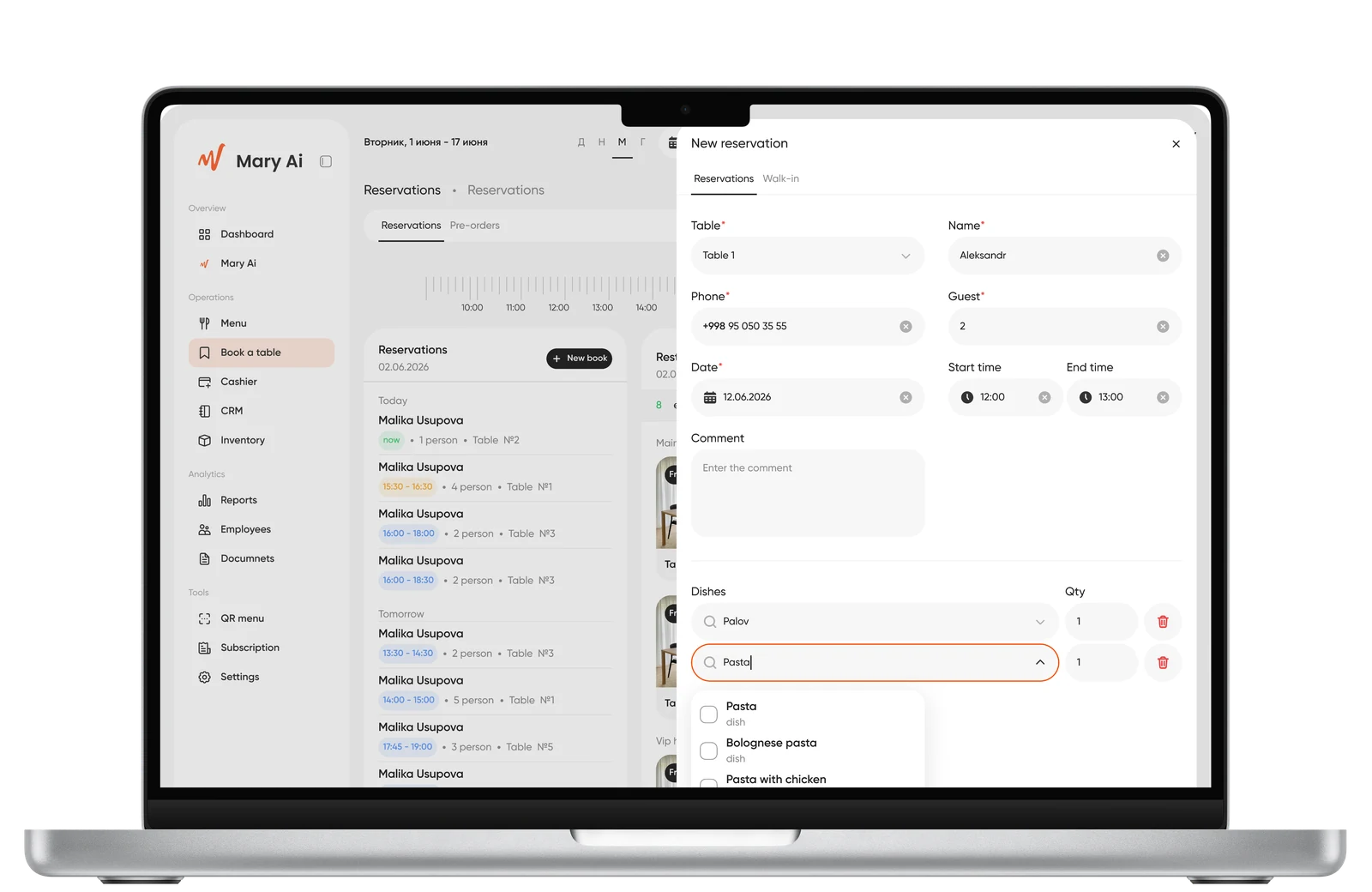
Loyalty
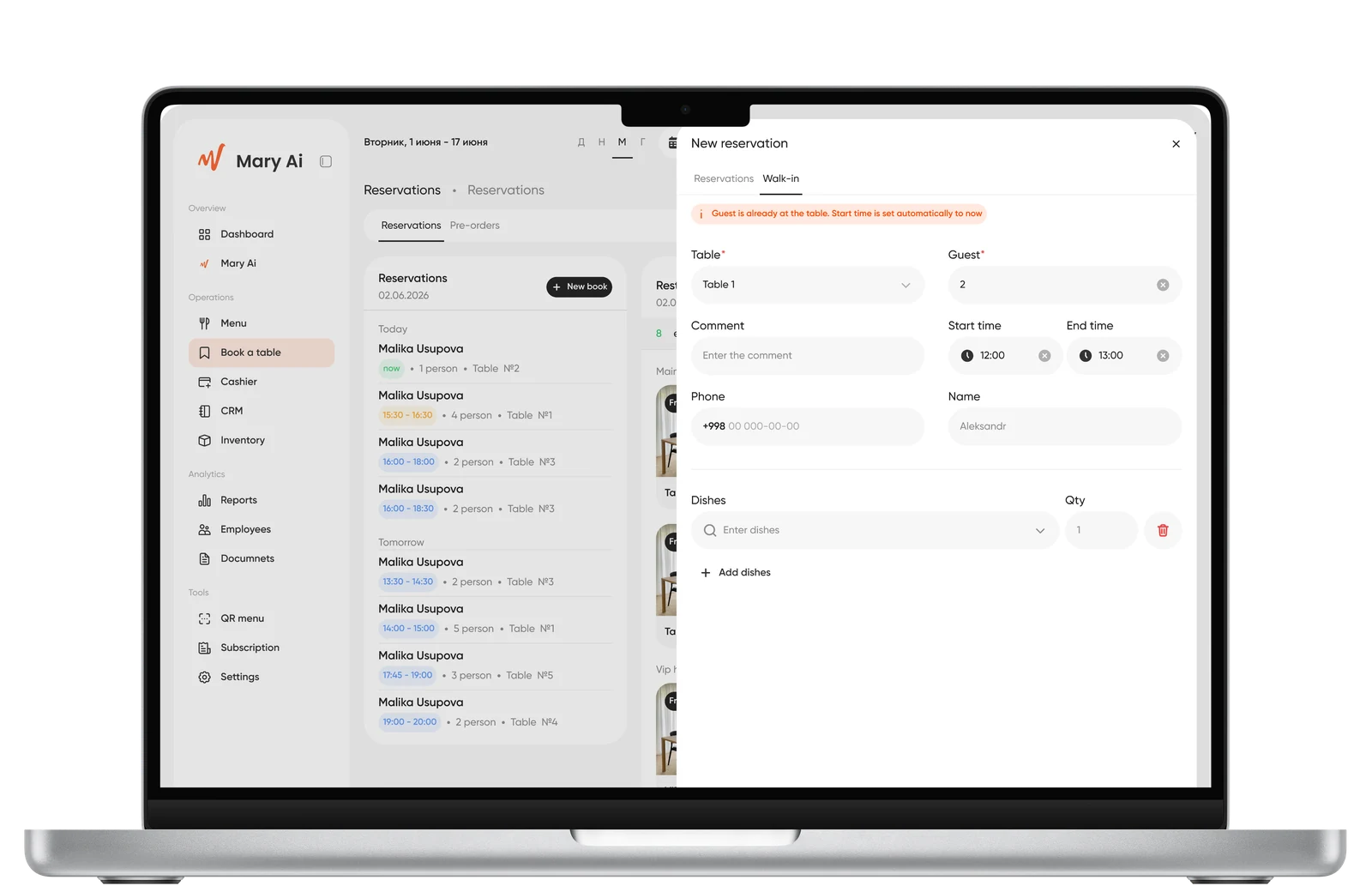
Customer History
Reports, Employees, QR Menu, Settings, Billing
In brief: a unified period pattern (chips Today/Week/Month/Year/Custom) — across the entire platform; QR Menu syncs zones and tables from reservations instead of duplicating; Billing — a separate access zone only for the owner.
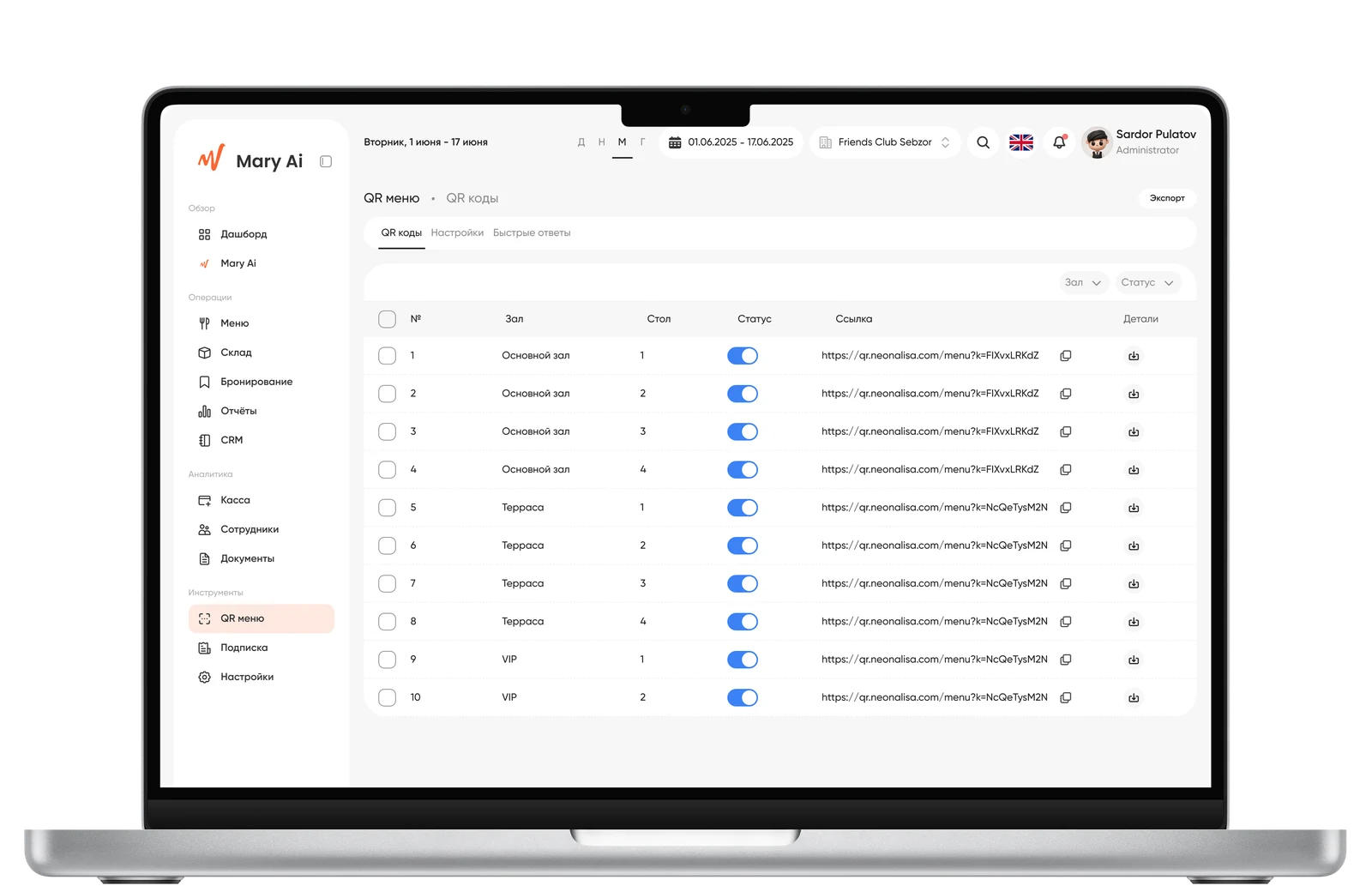
QR Menu
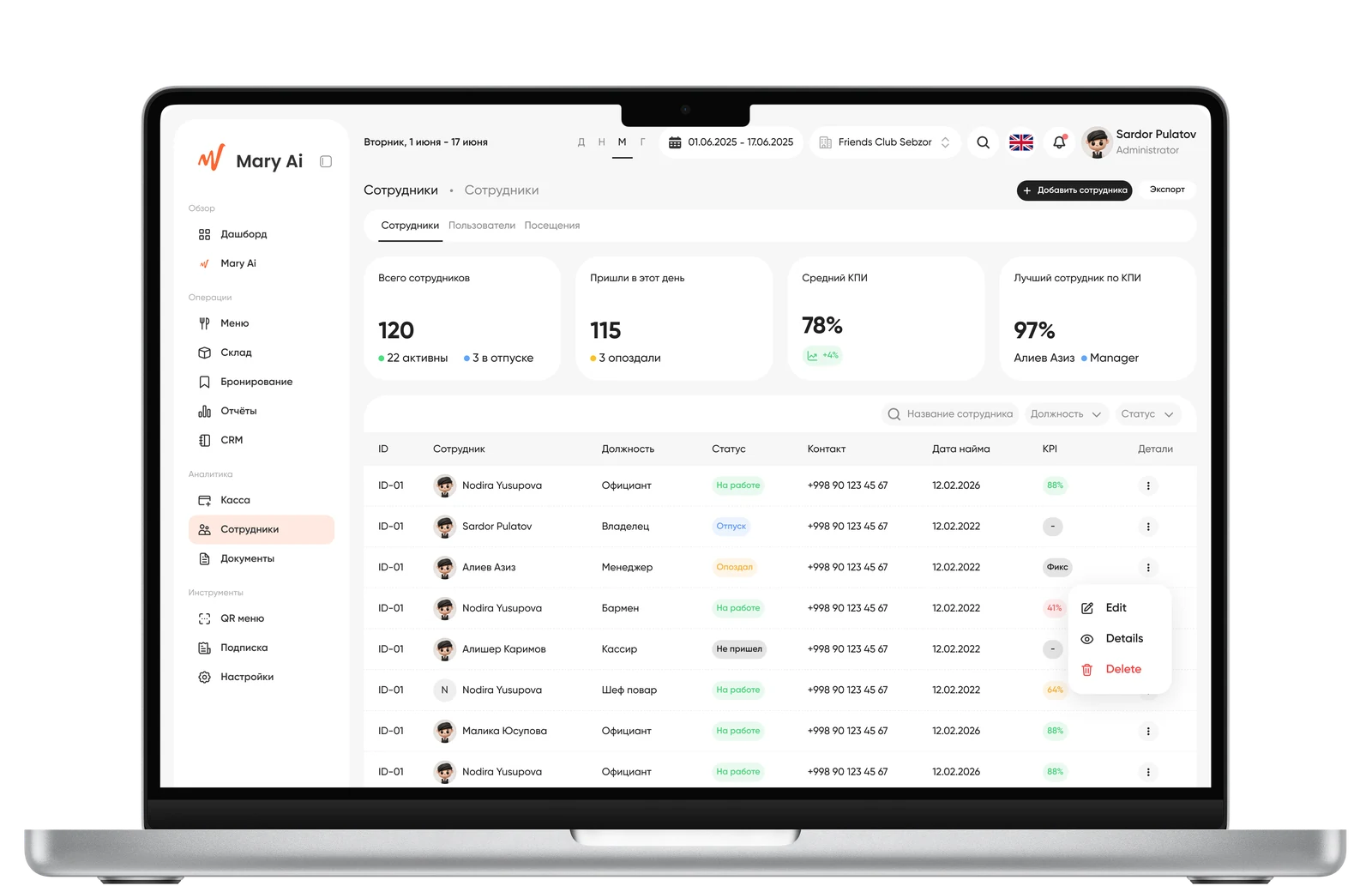
Employees
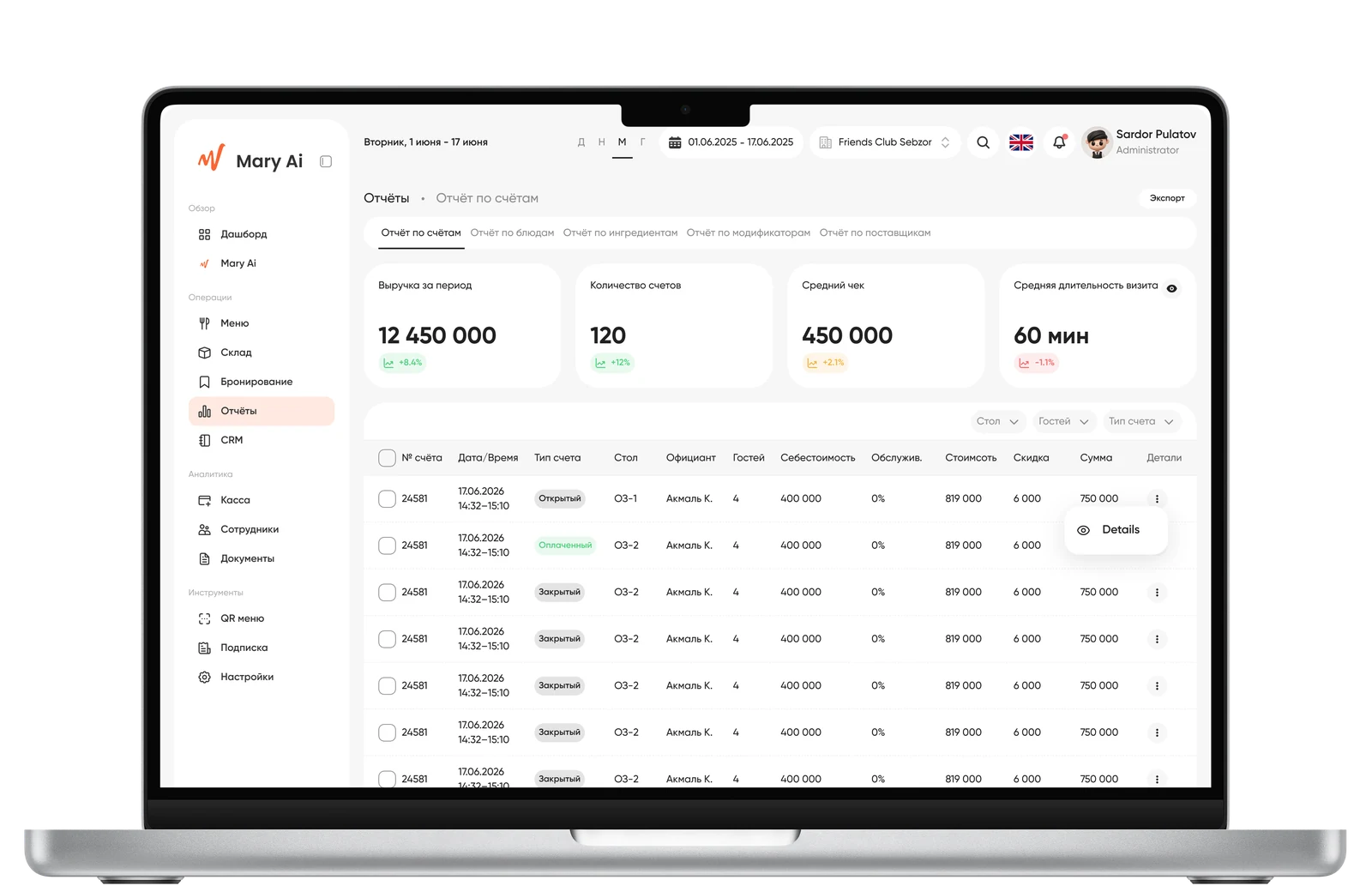
Reports
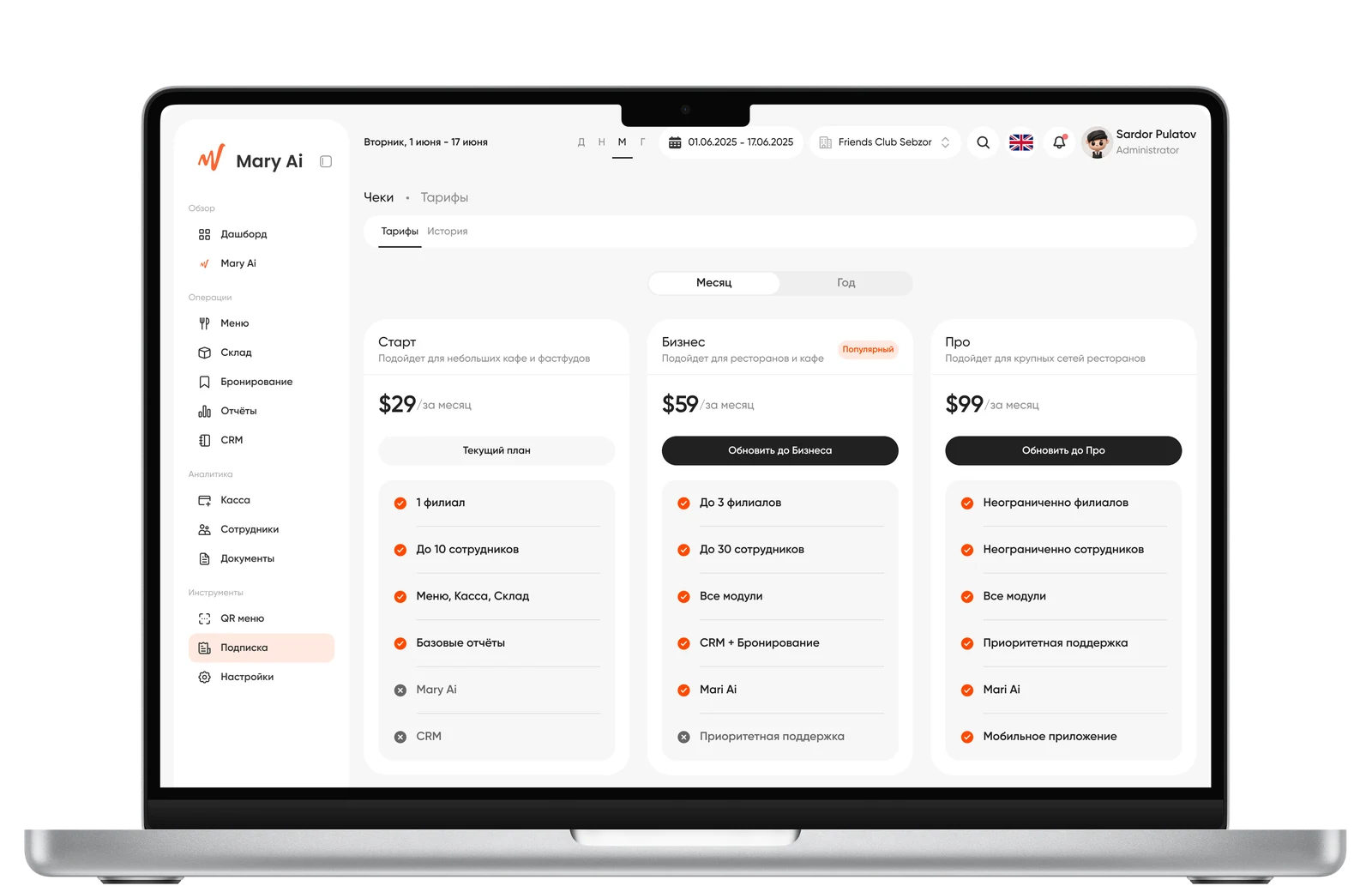
Plans
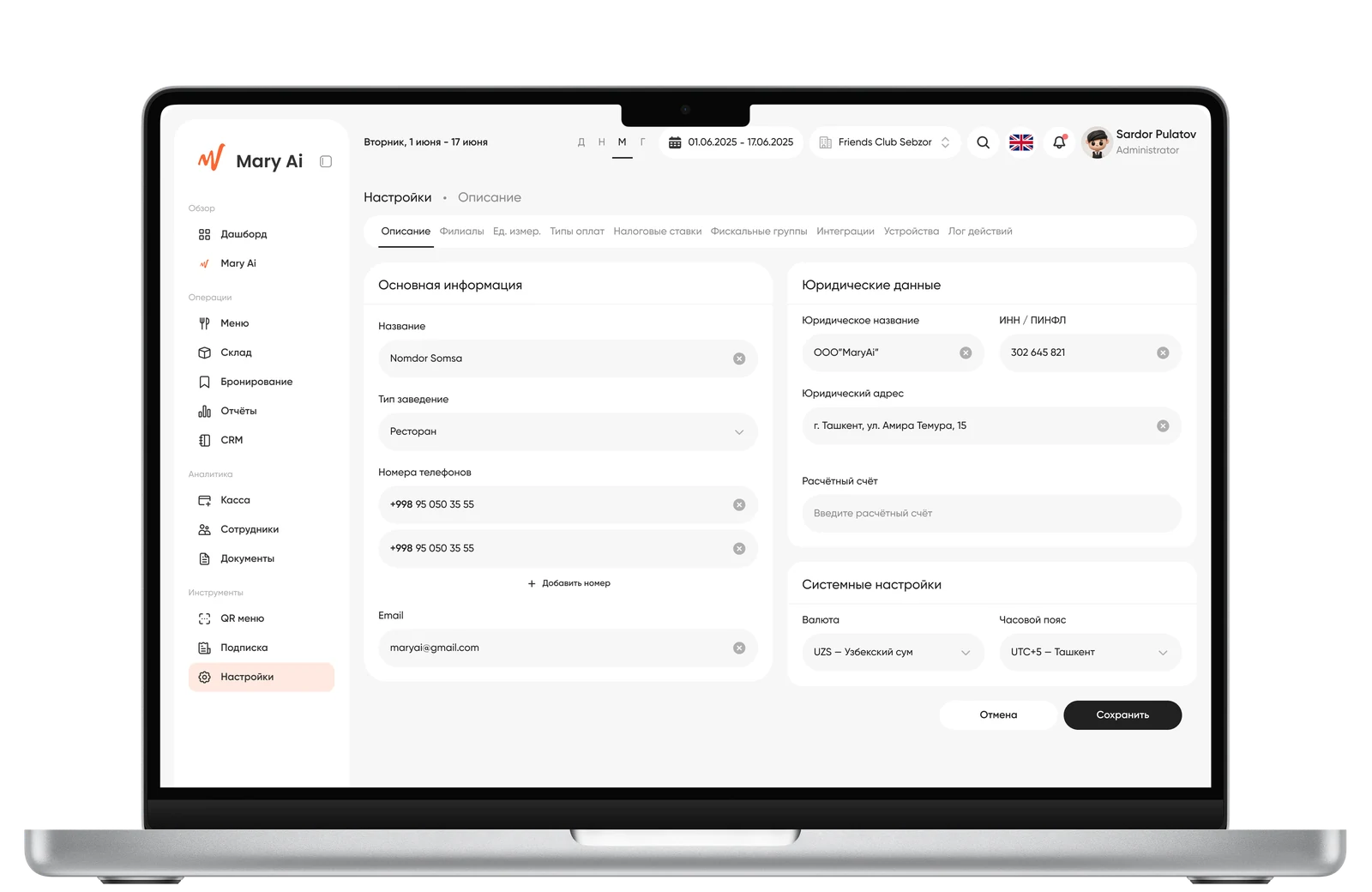
Settings
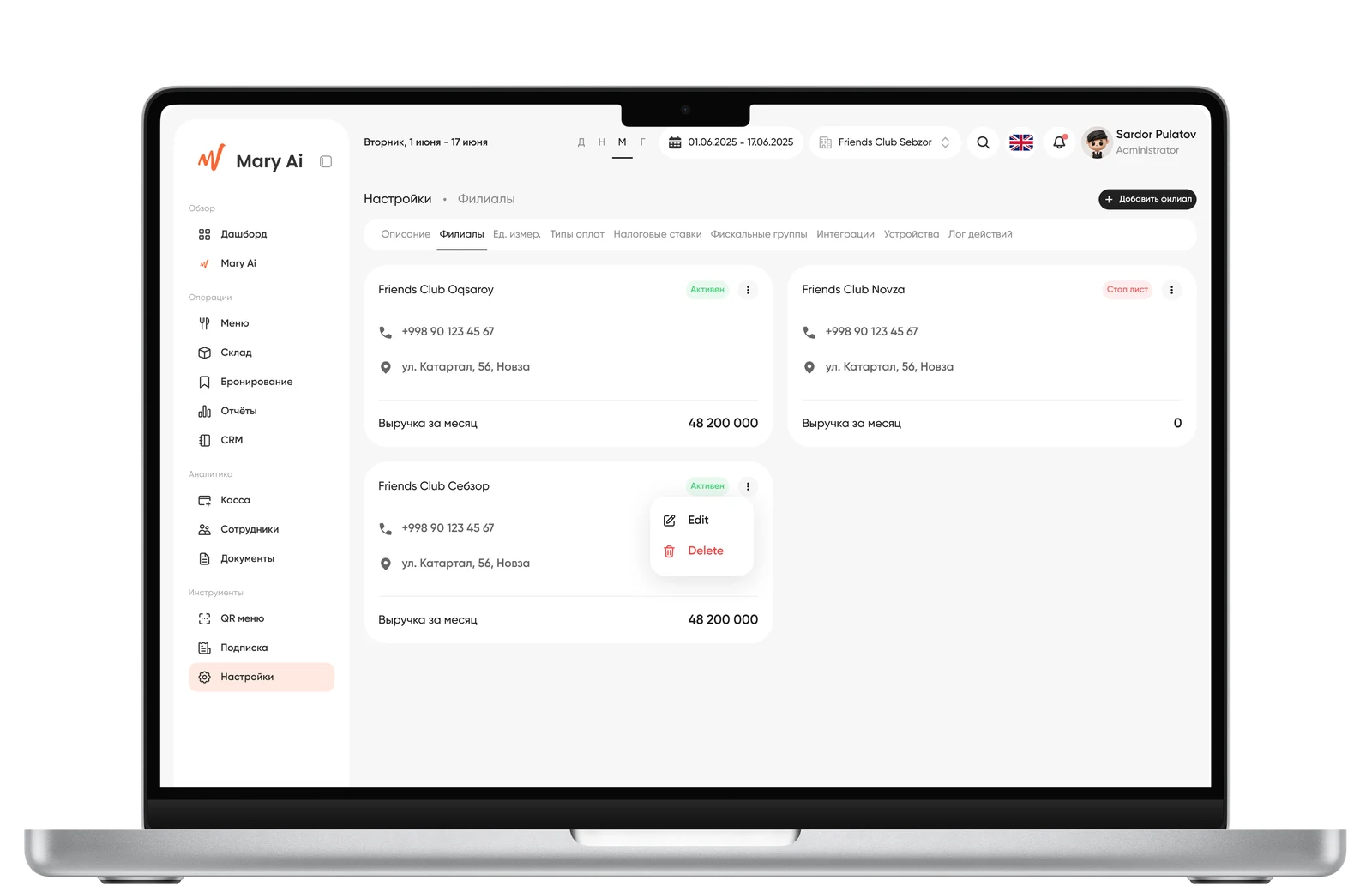
Branches
05 — Result
The platform is currently operating in Friends restaurants.

11 modules designed with unified logic and shared patterns; key architectural decisions for POS, Warehouse, Menu, CRM, and Table Booking were made and validated with the product manager.